Please note eufy Smart Lock WiFi Bridge needs to be plugged into a wall outlet at all times in order to stay powered on. If your Smart Lock WiFi Bridge fails to power on, it is usually due to the following reasons.
Smart Lock WiFi Bridge
If the LED indicator light on your eufy Smart Lock WiFi Bridge does not turn on when you plug it into a wall outlet, please contact us for further assistance.
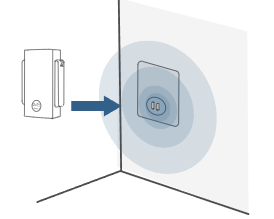
Wall Outlet
Please plug in your eufy Smart Lock WiFi Bridge into different wall outlets for testing purposes to eliminate the possibility of a defective wall outlet being the issue.
If you are still experiencing issues with your eufy Smart Lock WiFi Bridge not powering on, please contact us for assistance.
Was this article helpful?
That’s Great!
Thank you for your feedback
Sorry! We couldn't be helpful
Thank you for your feedback
Feedback sent
We appreciate your effort and will try to fix the article