Floodlight Cam 2 Pro can actively track motion activity and capture images as motion moves across the camera's field of view. This feature is turned off by default and you can enable it in the eufy app. After enabling this feature, the camera will actively track a person's or an object's movement at the center of the camera's field of view when it detects motion.

Steps in the eufy app: Camera Settings > Monitoring Settings > Turn on the Motion Tracking. You can also adjust the tracking sensitivity by choosing the sensitivity level from Level 1 to Level 3.
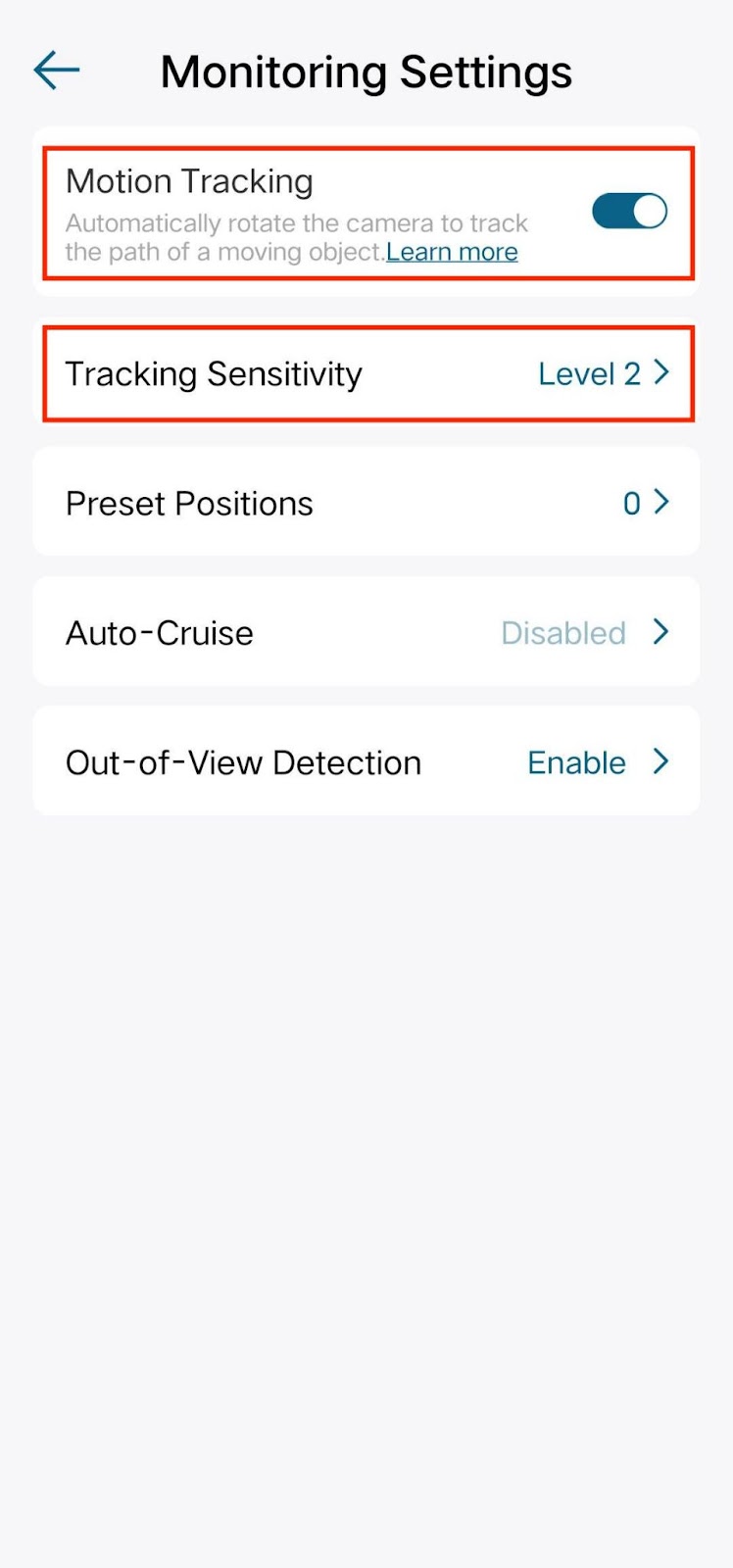
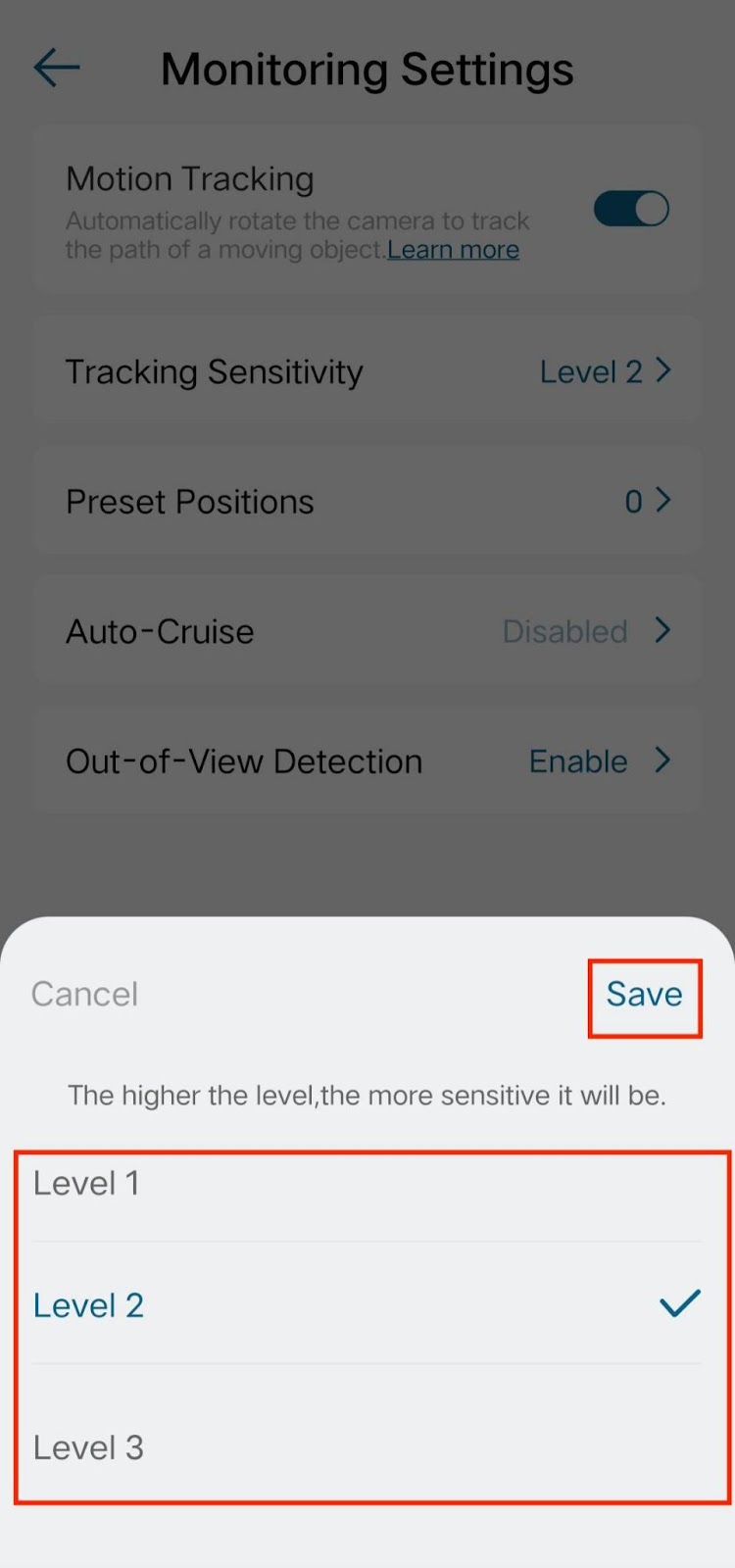
Note: The best experience on motion tracking for people or cars is beyond 3 meters. Tracking people or car motions within 3 meters may easily result in losing track of motion because of the fast-moving speed. It is recommended to install the camera at a distance of more than 3 meters from the main entrance and exit.
If you still have questions regarding the Motion Tracking feature of eufy Floodlight Cam 2 Pro, please contact us for further assistance.
Was this article helpful?
That’s Great!
Thank you for your feedback
Sorry! We couldn't be helpful
Thank you for your feedback
Feedback sent
We appreciate your effort and will try to fix the article