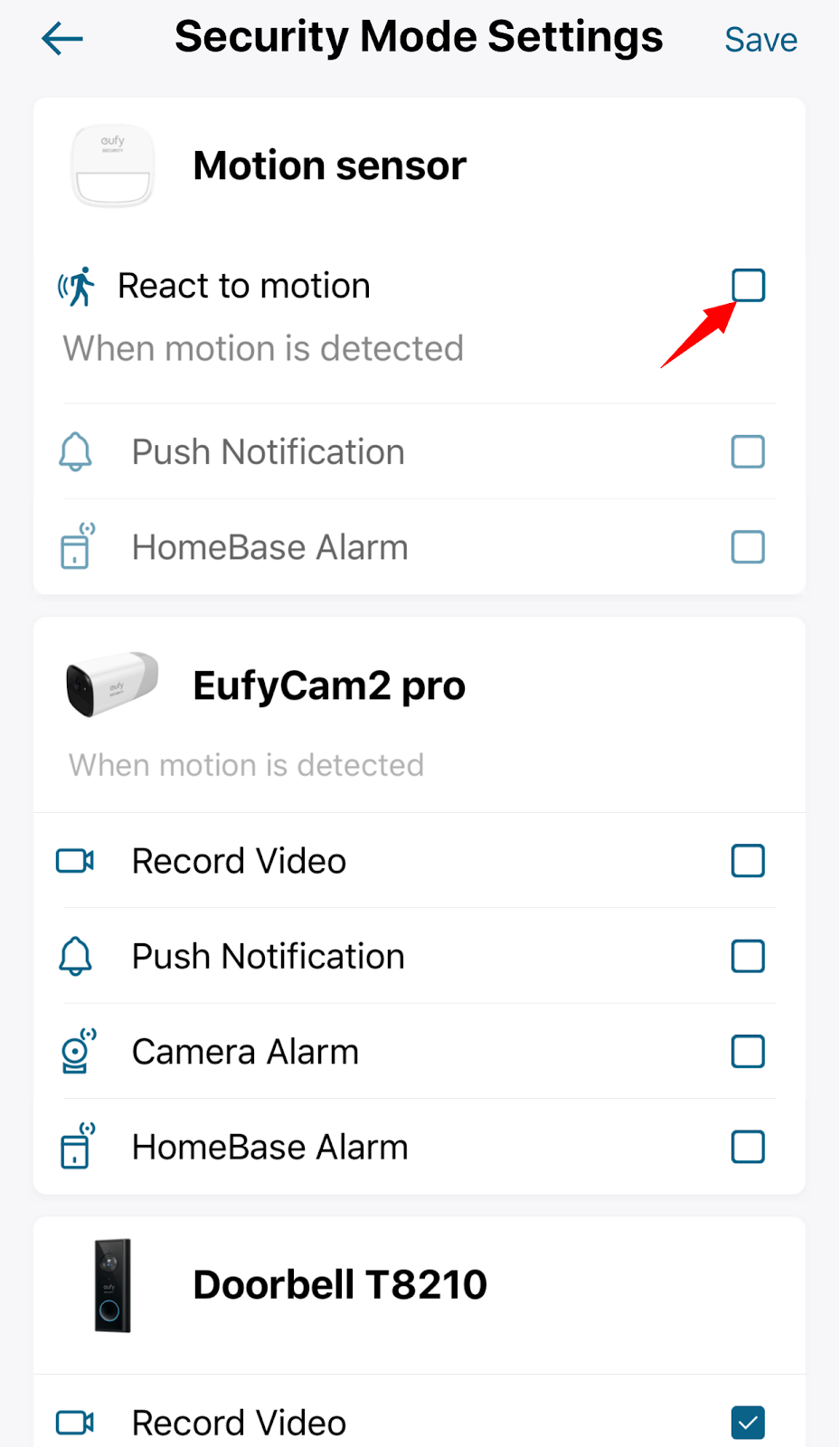
You can choose to ignore the motion sensor in the Security mode settings.
Steps in the app: Security Mode Settings > Disable “React to motion”.
In this case, your system will not respond to any motion that gets detected by the motion sensor, and you will also not receive motion sensor event that is logged in the Events tab.
If you have any questions, please contact us for further assistance.
Was this article helpful?
That’s Great!
Thank you for your feedback
Sorry! We couldn't be helpful
Thank you for your feedback
Feedback sent
We appreciate your effort and will try to fix the article