The S380 HomeBase comes with 16GB of built-in storage. If you want to expand the Local Storage, a hard drive would be helpful. Here is the instruction about how to expand the storage: How to expand the Local Storage of the S380 HomeBase (HomeBase 3)?
If the hard drive cannot show in the app after you add it to the HomeBase, please try the following tips:
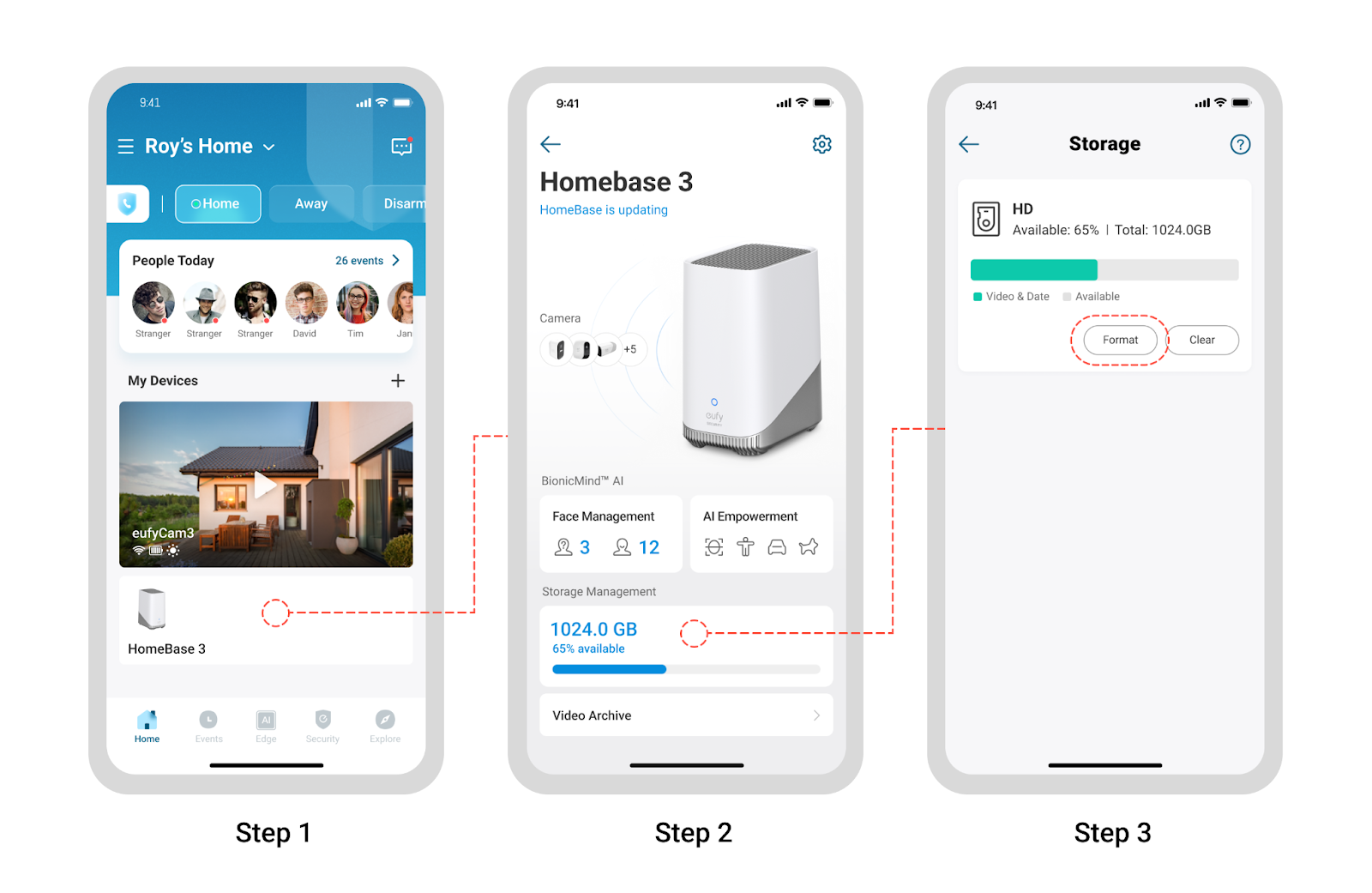
1. When inserting the Hard Drive, please plug out the HomeBase 3 first. Then plug in the HomeBase after you insert the Hard Drive and fix the screws.
2. About 2 minutes is needed for the HomeBase to recognize and read the Hard Drive. After you insert the HomeBase, please wait about 2 minutes and then check the status of the Hard Drive.
3. To use the Hard Drive, please format it first. You can enter the Storage page of the Homebase to finish the formatting processing.
4. It is recommended to use a brand-new Hard Drive.
If the issue persists, please contact us for assistance.
Was this article helpful?
That’s Great!
Thank you for your feedback
Sorry! We couldn't be helpful
Thank you for your feedback
Feedback sent
We appreciate your effort and will try to fix the article