Compatible with:
eufyCam 2 Pro, eufyCam 2C Pro, eufyCam 2, eufyCam 2C, eufyCam, Floodlight Cam 2 Pro, Floodlight Cam 1080p, Floodlight Cam E 2K, Video Doorbell 2K (Wired), Video Doorbell 2K (Battery-Powered), eufy Security Video Doorbell 1080p (Battery-Powered), Outdoor Cam Pro (Solo OutdoorCam C24), Indoor Cam 2K Pan & Tilt (Solo IndoorCam P24), Indoor Cam 2K (Solo IndoorCam C24), Indoor Cam Mini 2K, SoloCam E40, SoloCam L40, SoloCam S230, Video Doorbell Dual 2K (Battery-Powered), Floodlight Cam E340, Video Doorbell E340, Indoor Cam C220
Given that your camera is installed in the yard and when you work in the yard (such as weeding, etc.), it will continue to trigger recording and notifications. If you need to temporarily stop the camera from recording and sending notifications during this period, there are three ways:
1. On the eufySecurity app device page, click the "Snooze" icon on the camera card to enable the Snooze feature, which will disable camera notifications for a period of time set by the user. To find out more about how to use the Snooze feature, please refer to How Snooze in eufySecurity App Works for You.

2. Disarm the camera in the security mode, and then set the security mode to Away or Home mode again after work is completed.
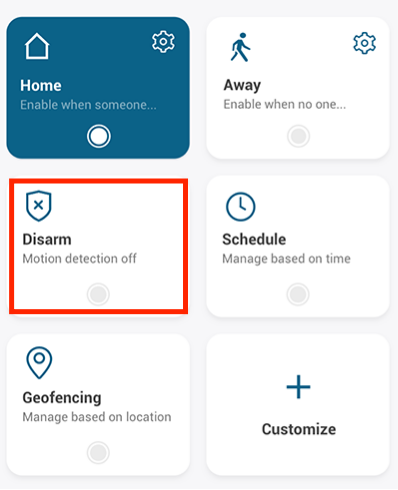
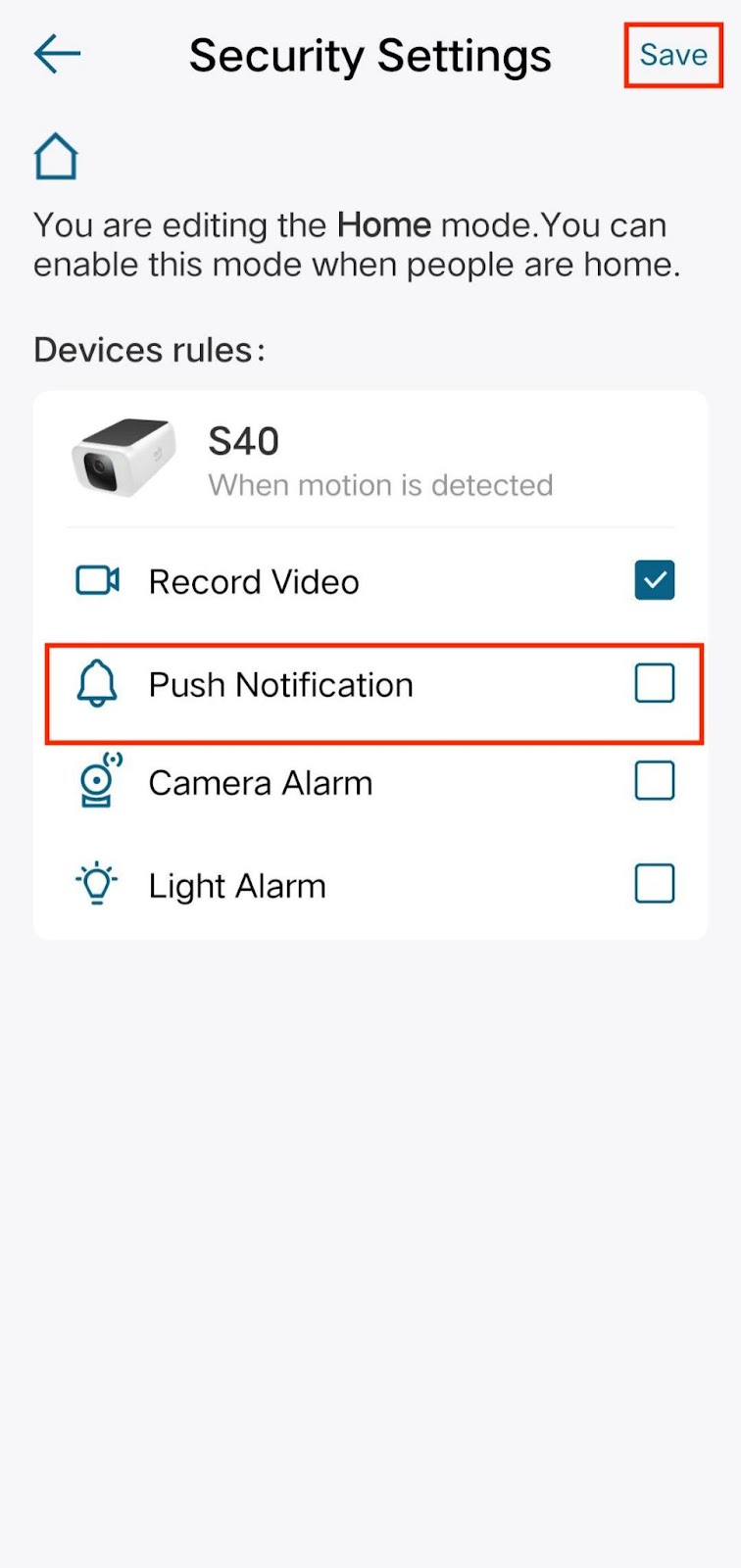
3. Set the security mode to Home mode, and disable the “Push Notification” button in the Home mode settings to mute notifications.
4. If you think it is unnecessary for the camera to detect motion, you can temporarily turn off the camera in the settings. Simply enable the “Camera On” feature once the work is completed.

If you still have questions regarding muting notifications on eufySecurity devices, please contact us for further assistance.
Was this article helpful?
That’s Great!
Thank you for your feedback
Sorry! We couldn't be helpful
Thank you for your feedback
Feedback sent
We appreciate your effort and will try to fix the article