There are three PIR (Passive Infrared Detection Sensors) on the left, middle, and right side of the device, which are used to detect human activities. You can adjust it via eufy app: Floodlight Cam 2 Pro > Camera Settings > Motion Detection > Detection Range.
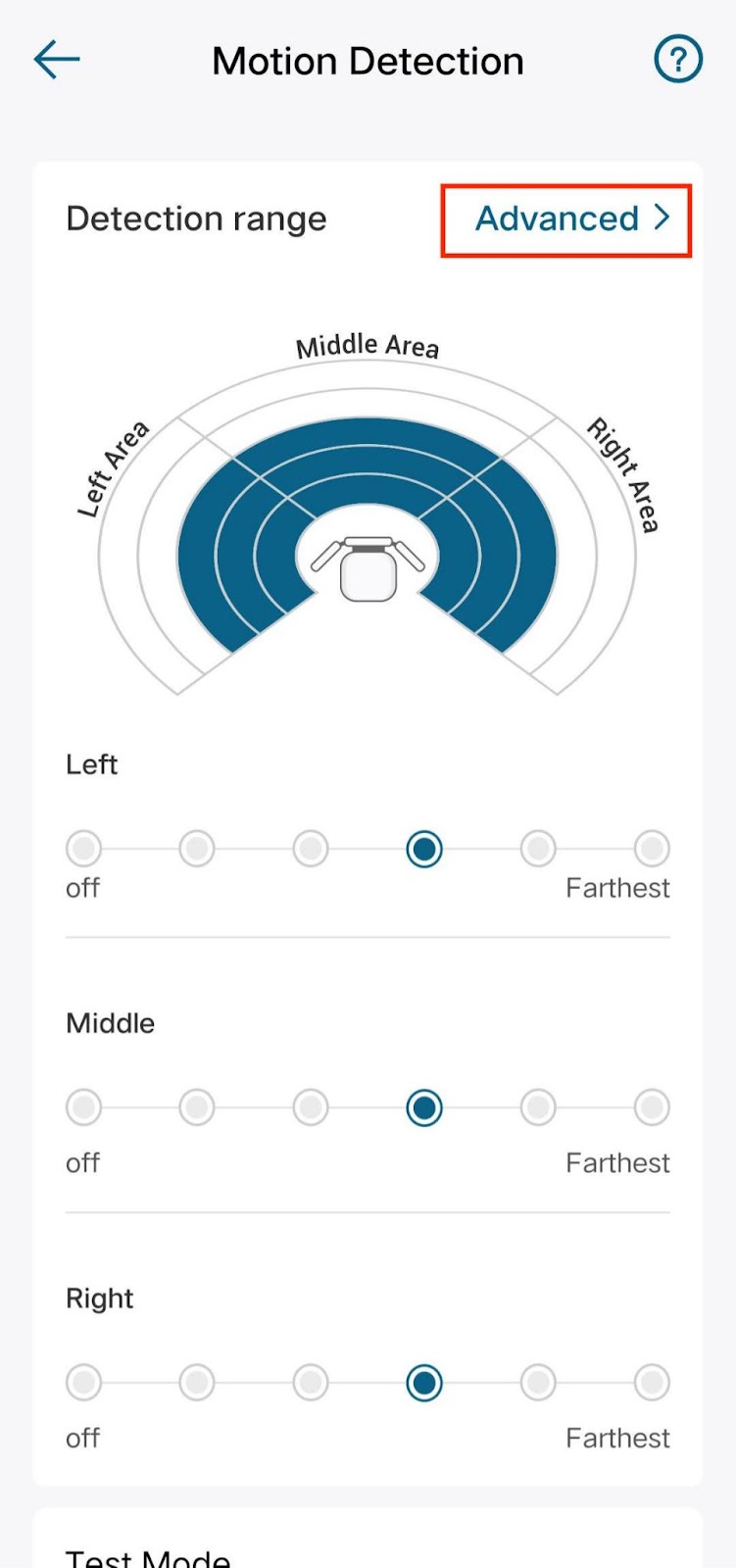

1. If the environment surrounding the camera is spacious enough, you can choose the standard detection mode, and it sets the same detection sensitivity in each direction.
2. If the environment surrounding the camera is complicated, for example, the front is very close to the road while the left and right sides are very spacious, then you can choose the Advanced detection mode to lower the front detection sensitivity and strengthen the left and right detection sensitivity.
3. If it is difficult for you to set a proper detection sensitivity due to the surrounding environment, you can choose the "Automatic" sensitivity setting method. The device will dynamically adjust the detection sensitivity based on false triggers on each side.
If you still have questions regarding detection sensitivity on eufy floodlight cam 2 pro, please contact us for further assistance.
Was this article helpful?
That’s Great!
Thank you for your feedback
Sorry! We couldn't be helpful
Thank you for your feedback
Feedback sent
We appreciate your effort and will try to fix the article