Download the eufySecurity App
Download the eufySecurity app from the App Store (iOS devices) or Google Play (Android devices). Or visit eufylife.com on your mobile device.

Create Your eufySecurity Account
After downloading the App, create or Log in to your account. Learn more about Sign Up for A eufySecurity Account.
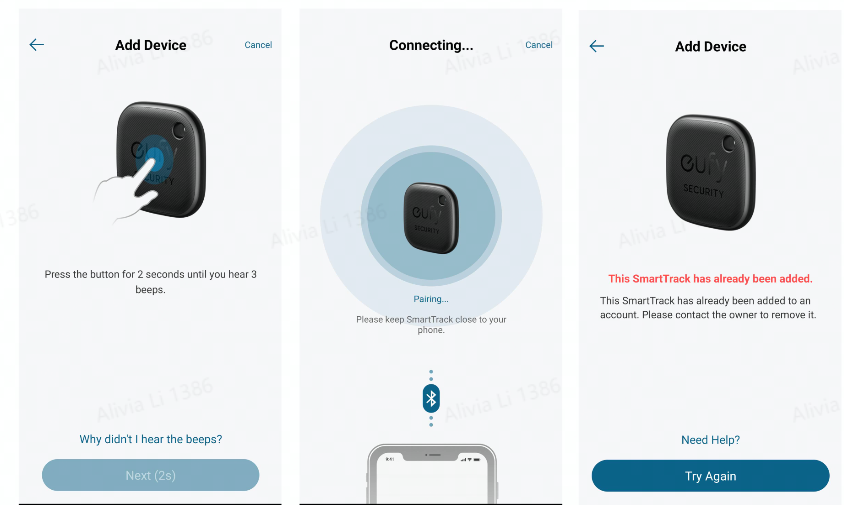
Add eufy SmartTrack to the App

- Enable some app permissions:

- Add the device by connecting with the Bluetooth
If you have further questions regarding the eufy SmartTrack Link, please contact us for assistance.
Was this article helpful?
That’s Great!
Thank you for your feedback
Sorry! We couldn't be helpful
Thank you for your feedback
Feedback sent
We appreciate your effort and will try to fix the article