- Ensure that the voltage applied to the appliance matches your local or home voltage.
- Remove plastic labels or stickers.
- Place on a flat, horizontal level surface with safety clearance for air inlet and outlet.
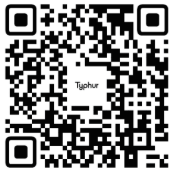
- Scan the QR code to download the free Typhur App for iOS or Android to control your device remotely.
Using the device.
- When the device is powered and you have setup the app, press and hold the power button to turn on the appliance.
- To manually set a temperature, use the up and down arrows around the temperature display to set a custom temperature and the arrows around the time to set a custom time.
- If you wish to use a preset that is provided, press one of the custom options displayed on the edges of the display. These include:
- Pizza
- Bacon
- Steak
- Wings
- Air Fry
- Toast
- Grill
- Reheat
- Cooking Guide
- When the device has completed and the timer has finished, it will emit 3 beeps, check the food and take it out if you are happy with the result.
Follow this link to learn how to setup and operate with the app.
Follow this link to learn how to clean the Air Fryer.
Was this article helpful?
That’s Great!
Thank you for your feedback
Sorry! We couldn't be helpful
Thank you for your feedback
Feedback sent
We appreciate your effort and will try to fix the article