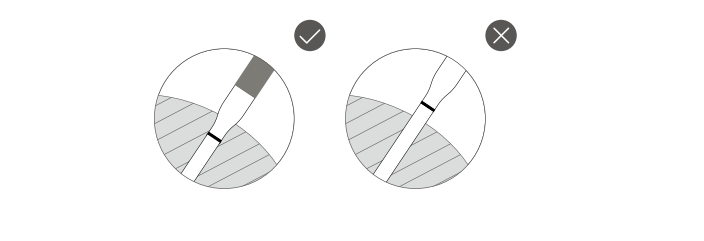
When inserting the probe into the food, follow the guide above to ensure you do so correctly.
The Temperature categories that appear on the display are shown below, learn what they mean:
Meat: The probe's internal temperature serves as the measured temperature of the meat.
Set: The target set temperature.
Ambient: The ambient temperature.
Was this article helpful?
That’s Great!
Thank you for your feedback
Sorry! We couldn't be helpful
Thank you for your feedback
Feedback sent
We appreciate your effort and will try to fix the article