Manual Mode
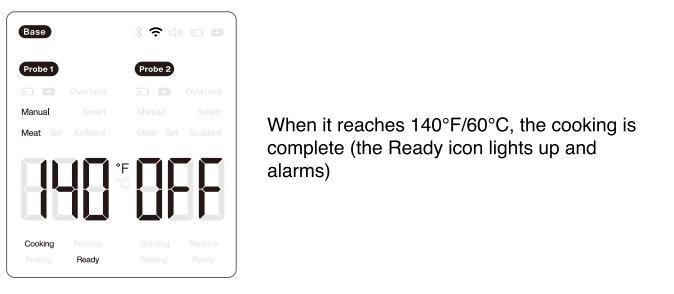
Set Cooking Parameters (Example: Target temperature at 140°F/60°C, current meat temperature at 80°F/26°C)
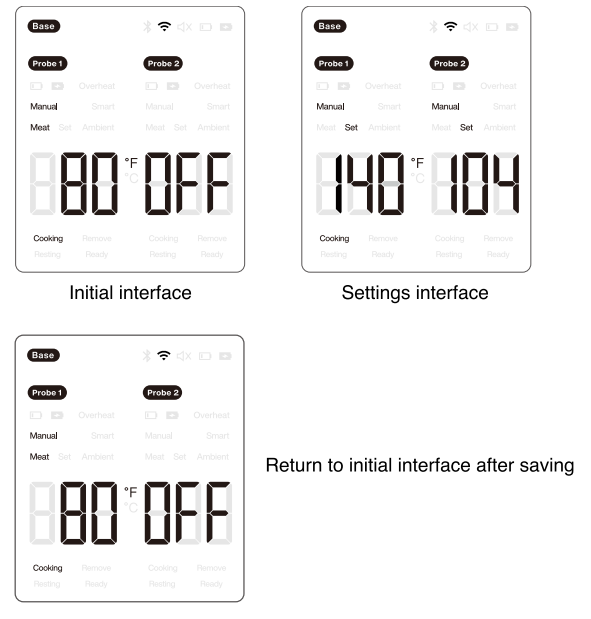
- Press the SET button to enter the settings mode, the default selection is Probe 1, and the corresponding display will flash.
- Use the ▲ and ▼ to select the desired probe, then press the OK button to enter the cooking mode selection.
- Use the ▲ and ▼ to select the Manual mode. When Manual icon flashes, press the OK button to enter the target temperature setting.
- Use the ▲ and ▼ to set the target temperature you need, then press the OK button to confirm, it will cycle back to the probe selection status.
- Press the SET button to exit the settings mode and save the current parameters. If no operation is performed within 15s in the settings mode, the parameters will be automatically saved, and the settings mode will be exited.

Was this article helpful?
That’s Great!
Thank you for your feedback
Sorry! We couldn't be helpful
Thank you for your feedback
Feedback sent
We appreciate your effort and will try to fix the article